 ChartsGPT
Forex chart analysis
Read the setup. Keep the session in context.
Turn a currency-pair chart screenshot into an organized technical review. Inspect the trend, support and resistance, possible entries and the conditions that would invalidate the setup.
Download on the App StoreiPhone & iPad · Free download · Pro for full access
- Currency-pair charts with visible symbol and timeframe
- Structure, levels, scenarios and invalidation
- Session-aware preparation for day and swing traders
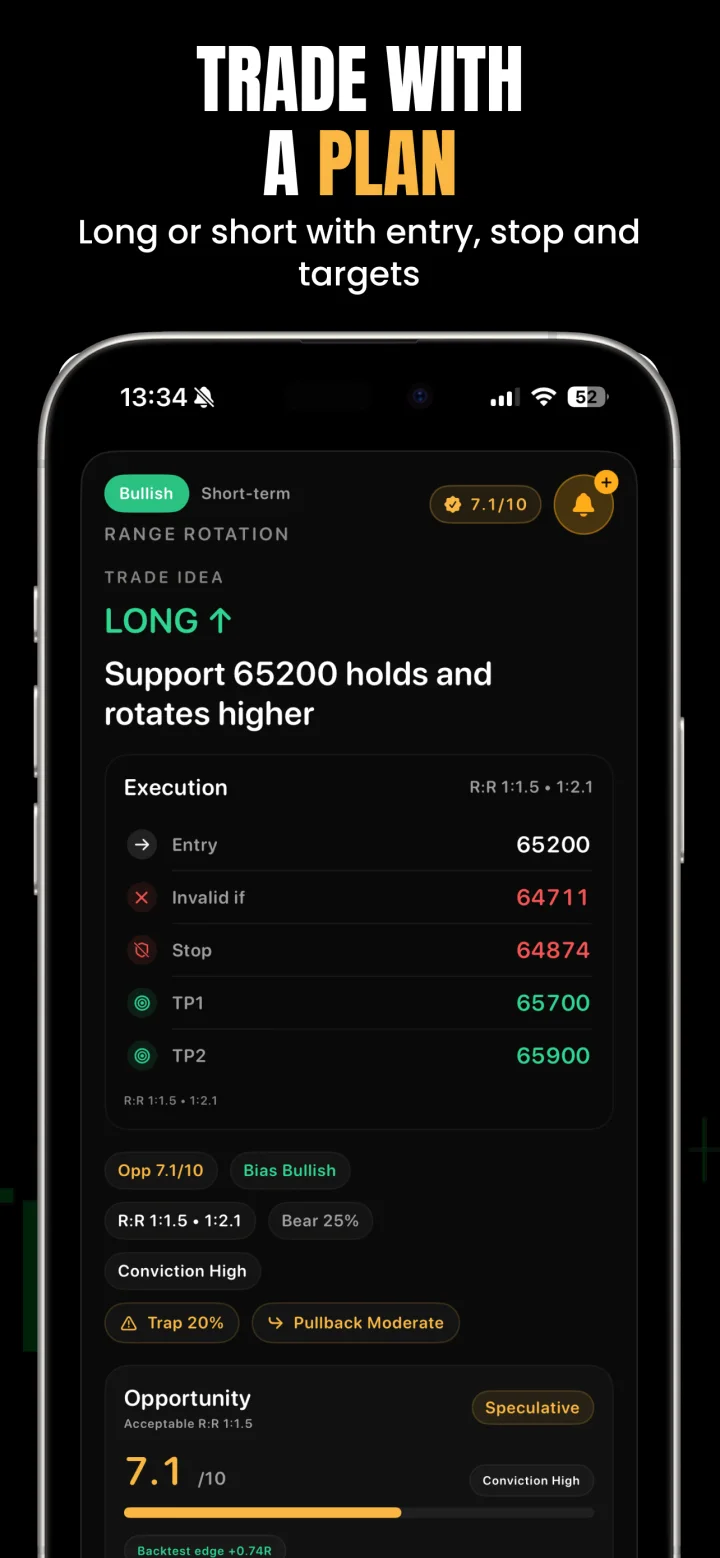
From a forex screenshot to a structured review
Capture a chart that shows the full currency pair, timeframe, price scale and recent swing history. If your analysis depends on a session high or low, include that part of the chart instead of cropping down to the last few candles.
Upload the screenshot to ChartsGPT or use the camera. Check that the pair and timeframe are correct, then read the trend, level and scenario explanations together. A potential entry only makes sense alongside the stop, target and condition that ends the thesis.
- Read the higher-timeframe direction before the intraday setup.
- Check whether price is near a prior high, low or range boundary.
- Compare the suggested levels with your broker chart.
- Ask AI Coach to explain an unclear part of the scenario.
A forex chart needs session and event context
Currency-pair behavior changes with market participation. A level forming in a quiet period may be tested differently as a major financial center opens. When you review a screenshot, note when it was taken and which session your plan depends on.
Use the app’s available market context alongside your own economic calendar check. An interest-rate decision, inflation release or employment report can change the conditions behind a technical setup. A screenshot taken before an event should not be treated as a complete picture of the market afterward.
An illustrative EUR/USD review
Suppose an EUR/USD chart shows a range followed by a move above the range high. The chart-reading task is to distinguish a possible continuation from a failed breakout, rather than simply naming the move bullish.
One scenario can describe price holding above the old high and creating a new swing. The alternative can describe price returning inside the range. Compare the scenario boundaries with the original chart, the current spread and your event calendar. These are illustrative review questions, not a current EUR/USD signal.
Pips, lots and broker prices still need a check
A price distance is not a position size. Pip size, contract size, lot increments and account currency affect what a stop means in money. Confirm those details with your broker rather than treating a generic price-unit calculation as a lot-size recommendation.
Charts can also differ slightly between data sources. Verify key levels on the chart you would actually execute from and leave room for spread and slippage in your own risk calculation. If your source image hides the scale or the pair label, take a better screenshot before requesting another analysis.
A few useful answers
Before your next chart.
Can I analyze EUR/USD or GBP/USD charts?
You can upload currency-pair chart screenshots, including EUR/USD and GBP/USD. Keep the full symbol and readable timeframe visible, and check the resulting analysis against your broker chart.
Does the app replace an economic calendar?
No. Chart analysis is only part of forex preparation. Check scheduled events and session timing separately; the available market context should support that check, not replace it.
Does a forex setup include position size in lots?
The chart review can show potential entries, stops, targets and invalidation. Confirm any execution size using your broker’s contract specifications, pip value and account currency.
Is ChartsGPT useful for forex beginners?
Beginners can use the explanations, AI Coach and lessons to connect chart structure with risk. Start with the beginner workflow and practice interpreting the output before risking real money.
Read a little deeper.
Less friction. More context.
Bring your next chart.
Explore ChartsGPT on iPhone and iPad. Review current plans and compatibility in the App Store.