 ChartsGPT
The method behind the breakdown
From screenshot to scenario, with checks along the way.
ChartsGPT reads a trading chart and presents a structured technical interpretation. Here is what to bring, what to inspect in the result and what the app cannot establish from an image alone.
Download on the App StoreiPhone & iPad · Free download · Pro for full access
- Capture the instrument, timeframe and chart history
- Review structure, levels and possible scenarios
- Verify the output before using it in your own plan
1. Give the analysis a chart with context
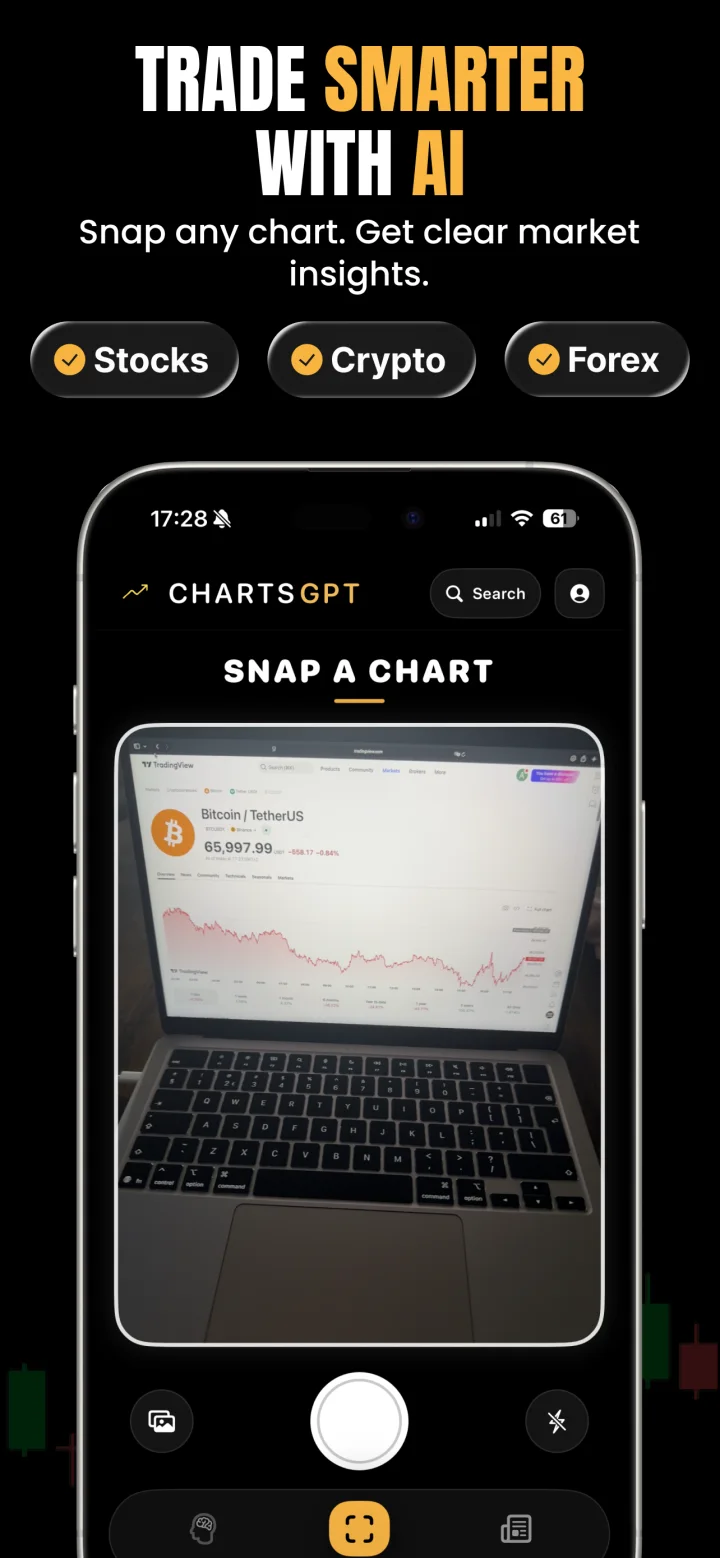
A chart screenshot is more useful when it includes the symbol, timeframe, price scale and enough history to show the recent swings. Avoid panels covering candles, labels too small to read and crops that remove the part of the chart where a key level formed.
A camera photo can work, but glare, perspective and a tilted screen can make prices harder to read. When possible, use a direct screenshot. If your question concerns the wider trend, take a wider view rather than asking the model to infer history that is missing.
2. Review the interpretation, not only the headline
ChartsGPT identifies the instrument and chart context, then combines the chart review with available market data to organize its explanation. The output can describe market direction, structure, support and resistance, and possible trade scenarios.
The app’s technical analysis uses live market data, but that does not guarantee every instrument or request has complete or current data. Check labels, price levels and any data limitations shown in the app. A source image may be old, ambiguous or inconsistent with the current market.
3. Read the scenario as a set of conditions
An entry zone without an invalidation point is an incomplete idea. Read the possible trigger, stop and target alongside the explanation of what would make the setup wrong. The alternative scenario helps you see which evidence would require a different interpretation.
For example, a breakout thesis can depend on price holding beyond a range boundary. If price returns inside and stays there, the original premise may no longer apply. This is a framework for evaluating a chart, not a prediction of which path will occur.
4. Verify before you rely on the result
Compare the output with the source chart. Confirm the instrument, timeframe, price scale and relevant swing levels. Check current price and the event calendar separately, and confirm spread, contract specifications and execution conditions with your trading platform.
Ask AI Coach a specific question if a level or scenario is unclear. A more fluent explanation does not prove the underlying read is correct. If the output conflicts with the chart, use the chart and the available data to investigate rather than treating the explanation as authority.
- Is the identified market the one in the screenshot?
- Are the stated prices plausible on the visible scale?
- Does the scenario explain a failure condition?
- Has the market changed since the screenshot was taken?
What this method cannot promise
AI can misinterpret a chart, miss context or present a plausible explanation for an incorrect read. A screenshot cannot provide a complete view of liquidity, order execution, future announcements or your personal financial circumstances.
ChartsGPT is built by independent developer Anthony Verruijt. Its public guides are educational product content, not independent investment research or a claim of professional investment accreditation. Review the app’s current details, pricing and compatibility on the App Store, and contact support when you find an error.
A few useful answers
Before your next chart.
Does ChartsGPT analyze only pixels?
ChartsGPT combines chart interpretation with available market data. Still verify the asset, timeframe and prices, and check any data limitations in the app. A live-data feature does not guarantee every request has complete information.
What should a good screenshot include?
Include a clear instrument label, timeframe, readable price scale, current candles and enough history to show the recent structure. Avoid covering candles with panels or cropping to a single move.
What if the AI analysis looks wrong?
Compare the result with the source chart, check the asset and timeframe and retake an unclear screenshot. Ask a specific follow-up question, and report a persistent error through support rather than relying on an inconsistent result.
Who writes the guides on this website?
The guides are published by ChartsGPT as educational product content. They explain chart-reading workflows and should be read alongside independent sources and your own research.
Read a little deeper.
Less friction. More context.
Bring your next chart.
Explore ChartsGPT on iPhone and iPad. Review current plans and compatibility in the App Store.