 ChartsGPT
Start with understanding
Your first chart does not have to be a guessing game.
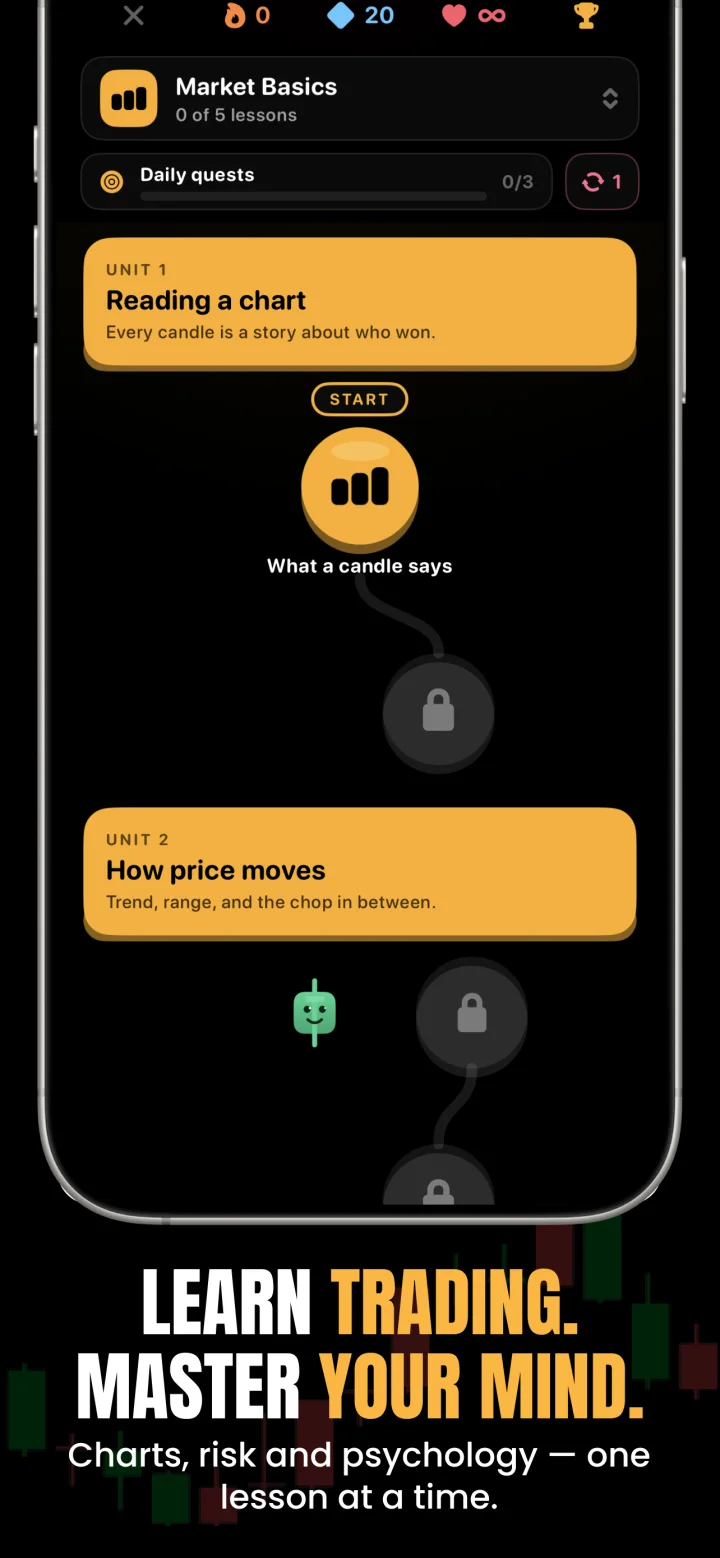
Learn what the candles, trend and key levels are showing. ChartsGPT combines chart breakdowns, follow-up explanations, lessons and simulated trading so you can practice the process behind an analysis.
Download on the App StoreiPhone & iPad · Free download · Pro for full access
- Plain-language chart breakdowns and AI Coach
- Academy lessons on charts, risk and trading psychology
- Simulated trading to practice without a live order
Start with four questions, not every indicator
A new trader does not need to identify every named pattern on a chart. Start by asking whether price is trending or ranging, which support and resistance zones are nearby, what could happen at those zones and what would make each idea wrong.
Upload a clear chart screenshot to ChartsGPT and read the breakdown alongside the original. Point to each mentioned level yourself. If the explanation uses an unfamiliar term, ask AI Coach what it means in the context of that chart.
- Trend: is price making progress in one direction or moving inside a range?
- Levels: where has price recently reacted?
- Scenario: what event would support the idea?
- Invalidation: what would tell you to reconsider?
A practical learning loop inside the app
Use the Academy lessons to build vocabulary, then return to an actual chart. The link between the lesson and the example matters more than finishing a large number of lessons quickly. Learn one idea, identify it in the chart and explain it in your own words.
The trading simulator gives you a place to practice a plan without sending a live broker order. Treat simulated results as practice: they do not establish how you would perform with real capital, real execution costs or the pressure of a loss. The available journal can help you review what you intended and what happened.
Try this before your first simulated trade
Choose one market and one timeframe rather than switching whenever a chart looks difficult. Before reading the AI output, write your own short view: the current trend, a nearby level and one condition that would change your mind.
Then compare your notes with ChartsGPT. Ask where the two reads differ and check the price scale for yourself. When you review the chart later, focus on whether your reasoning was consistent, not just on whether price moved in your preferred direction.
- Save a clear screenshot with the symbol and timeframe.
- Write your own trend and key-level notes first.
- Read the breakdown and ask one specific follow-up question.
- Record what happened when price reached the level.
What to learn before risking real money
Learn how position size, stop distance, fees and possible slippage fit together. A small percentage move can create a large account loss when exposure is too high. There is no need to turn every chart analysis into a trade.
ChartsGPT is an analysis and education app. It does not remove uncertainty or make a setup safe because the explanation is easy to read. If you cannot explain the scenario and its failure condition in your own words, return to the lesson or the chart before taking the next step.
A few useful answers
Before your next chart.
Do I need trading experience to use ChartsGPT?
No. You can begin with the chart explanations, AI Coach and Academy lessons. Check each explanation against the chart and practice the process before making decisions with real money.
Can I practice trading in ChartsGPT?
Yes. ChartsGPT includes a trading simulator and a journal for reviewing simulated activity. Simulated trades are practice and are not live orders or evidence of future trading performance.
Which market should a beginner start learning?
Choose a market you can follow consistently and study its session, pricing and risks. The app supports crypto, forex and stock chart review; it does not select a suitable financial product for your personal circumstances.
Is ChartsGPT completely free?
ChartsGPT is free to download. Full access requires a Pro subscription. Review the current plan, price and renewal terms in the App Store or purchase screen before subscribing.
Read a little deeper.
Less friction. More context.
Bring your next chart.
Explore ChartsGPT on iPhone and iPad. Review current plans and compatibility in the App Store.